What does Next-Gen Security Dashboard Offer ?
- Improved contextualization by presenting all alerts from a specific vehicle together.
- Streamlined decision-making for for user by implementing a scoring system to categorize vehicles into Critical, High, and Medium priority levels
- Provides a consolidated and visually intuitive representation of critical information
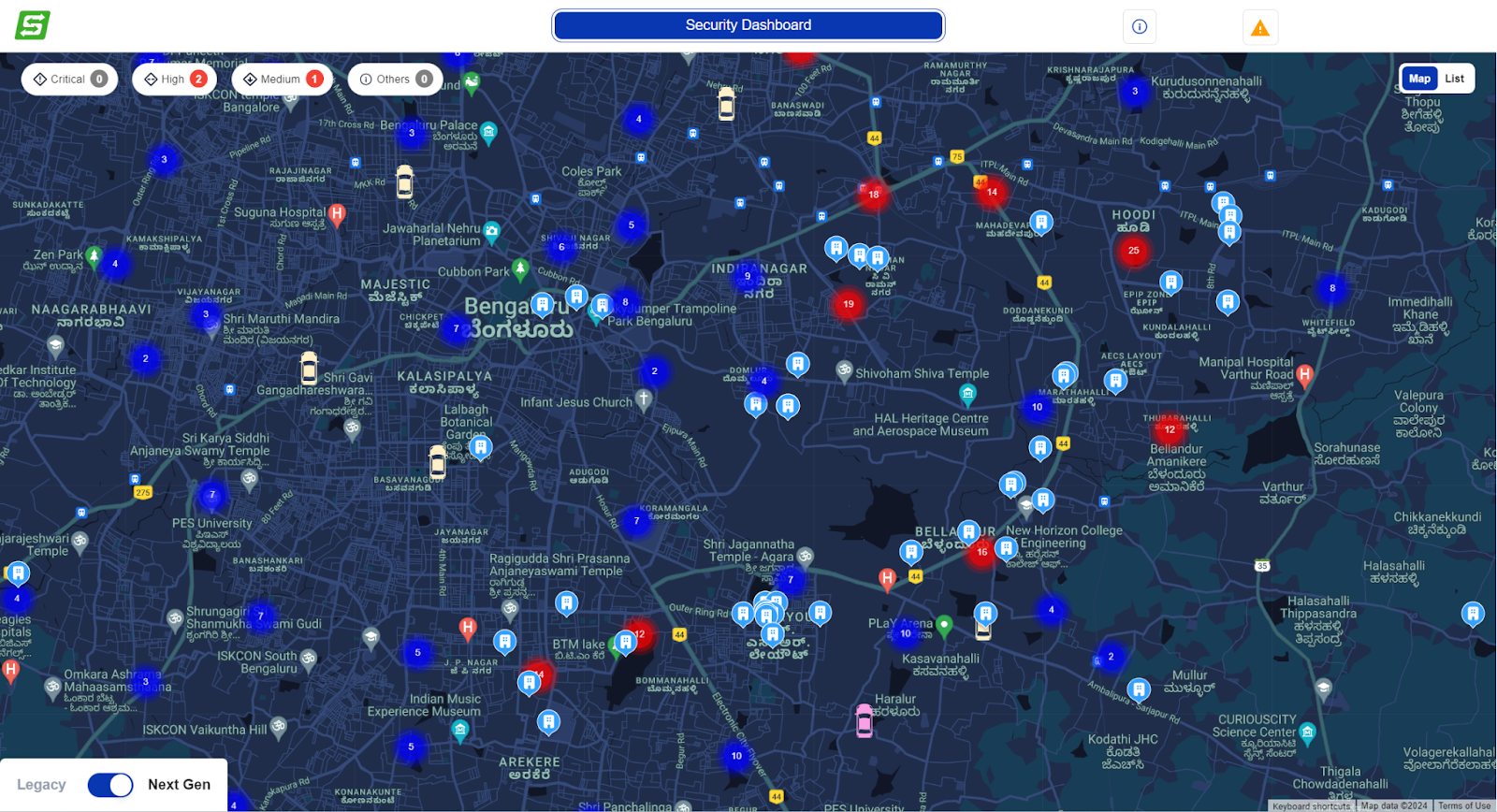
Score-Based Prioritization of Vehicle
Alerts are evaluated using a Rule Engine.
Rule Engine considers 20 data points, each with a predefined score.
Scores of all 20 data points are combined to determine the alert's cumulative score.
Based on the cumulative score, alerts are categorized as Critical, High, or Medium priority.
All 20 data points are gathered at the start of the duty cycle for evaluation.
The scoring system is highly configurable.
Below is an example of scoring system.
Metric | Metric Value | Scoring System | Score |
Speed of the Vehicle | 80 KPH | - Below 70 KPH: Low score (20) - 70-90 KPH: Moderate score (50) - Above 90 KPH: High score (100) | 50 |
Any SOS Alert in the Trip | Yes | - No SOS Alert: Low score (40) - At least one SOS Alert: High score (200) | 200 |
Metric | Description |
Speed of the vehicle | The vehicle's speed is 80 kilometers per hour. |
Severity of alerts in the last 1 month | There were 3 severe alerts in the last month. |
Number of passengers signed in at present | There are 4 passengers currently signed in. |
Time of day when the alert is raised | The alert was raised at 9:00 PM. |
Trip in dark hours without a marshal | The trip occurred in the dark hours without a marshal. |
Presence of at least one female passenger | There is at least one female passenger on the trip. |
Number of total alerts in the trip | There were 5 alerts during the trip. |
Presence of only female passengers | There are only female passengers on the trip. |
Any SOS alert in the trip | An SOS alert was triggered during the trip. |
Any speed violation on the trip | A speed violation occurred during the trip. |
Any unsafe zone alert in a trip | The vehicle entered an unsafe zone. |
Driver tenure | The driver has been with the company for 5 years. |
Vehicle type | The vehicle is a shuttle or non-shuttle. |
Average driver rating | The driver has an average rating of 4.7 based on passenger feedback. |
Driver background check status (BGC) | The driver passed the background check. |
Driver police vehicle check status (PVC) | The driver's personal vehicle passed the check. |
Drop type | Home or nodal |
Trip direction | The trip is inbound or outbound. |
Number of trips in the last 24 hours | How many trip Done by driver in last 24 Hr? |
Last poll time | How long before the device was contacted? |
Unified Alerts for Same Vehicle
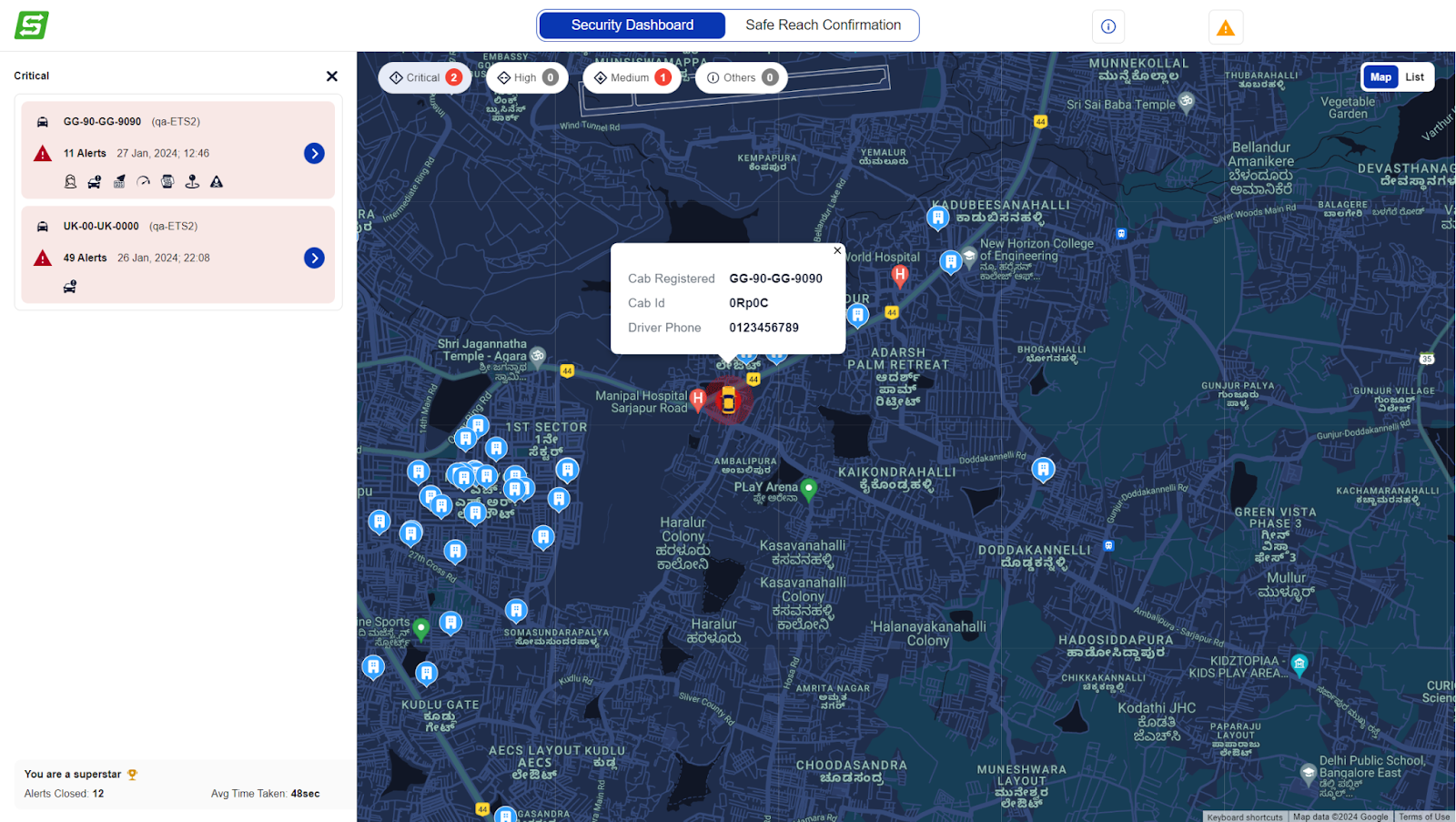
Vehicle Card Overview:
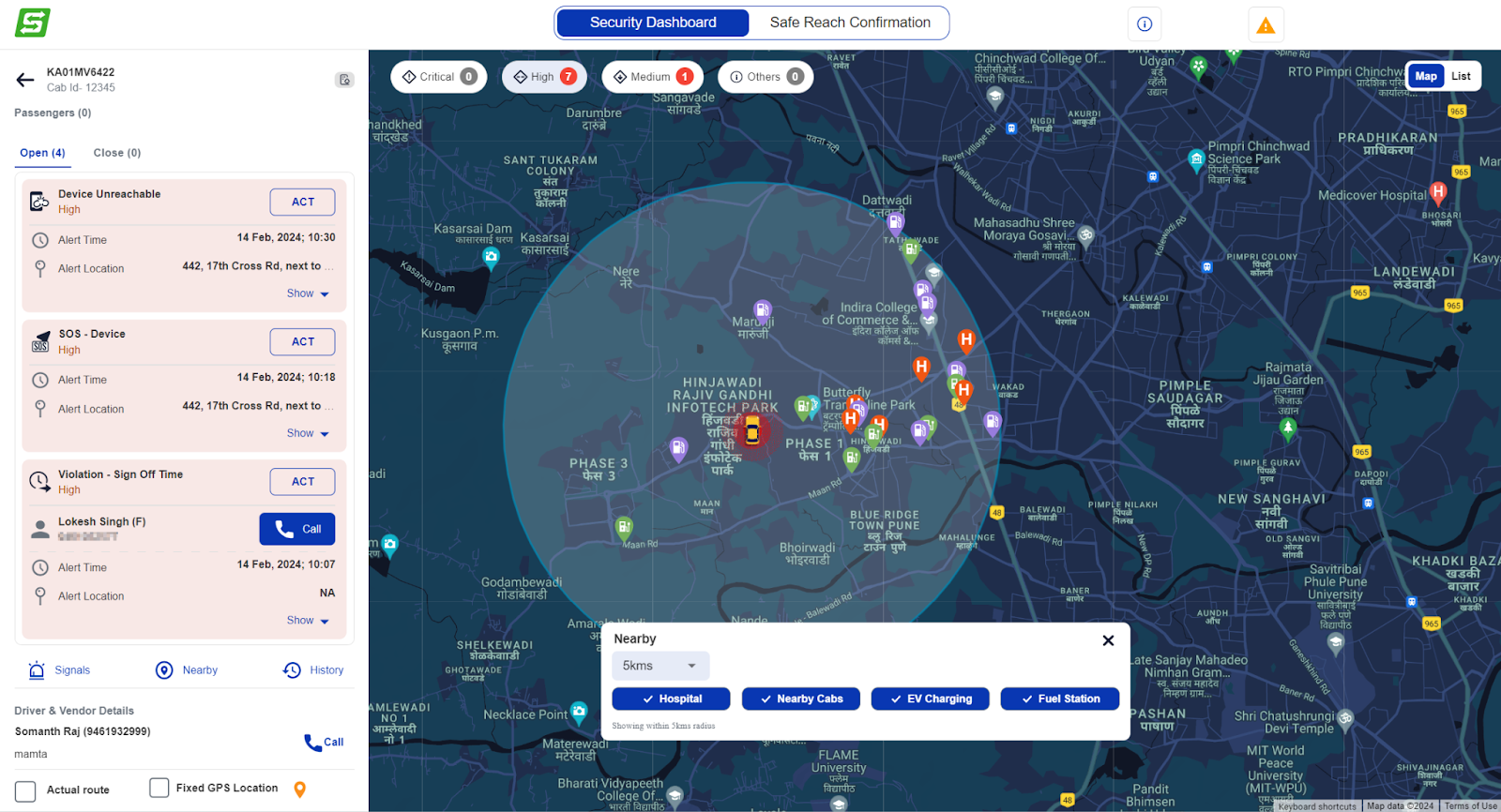
The drawer features a dedicated card for each vehicle with an active alert.
Each card prominently displays the Vehicle Number, Site Name, the number of active alerts, and the timestamp of the latest alert.
Detailed Vehicle View:
Upon further interaction, users can click on a specific vehicle card to open a detailed drawer.
This detailed view provides comprehensive information about the selected vehicle, including passenger details and active alert specifics.
Focused Handling of Alerts:
The system intelligently focuses on the selected vehicle, temporarily hiding all other cabs from the map.
This focused approach ensures that the user can concentrate on addressing the alert for the chosen vehicle without distraction.
How Scoring System Work?
Alert-Driven Categorization
Vehicles are dynamically categorized into Critical, High, or Medium based on the priority of the alerts associated with them.
Critical > High > Medium
Priority Hierarchy
If a vehicle has any Critical alert, vehicle is categorized into Critical and followed downwards.
The categorization is dynamic and adjusts in real-time based on the addition of new alerts and closure.
If a higher priority alert is added to a vehicle, its categorization is updated to reflect the increased priority.
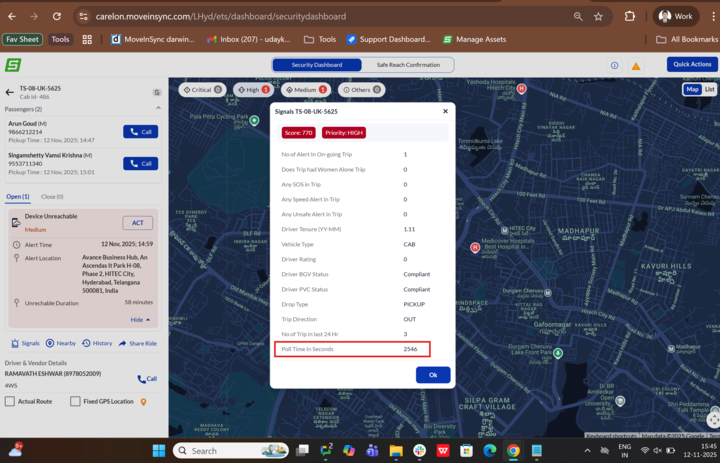
Detailed information about the categorized data points and their corresponding scores for a vehicle can be found by clicking on Signals.
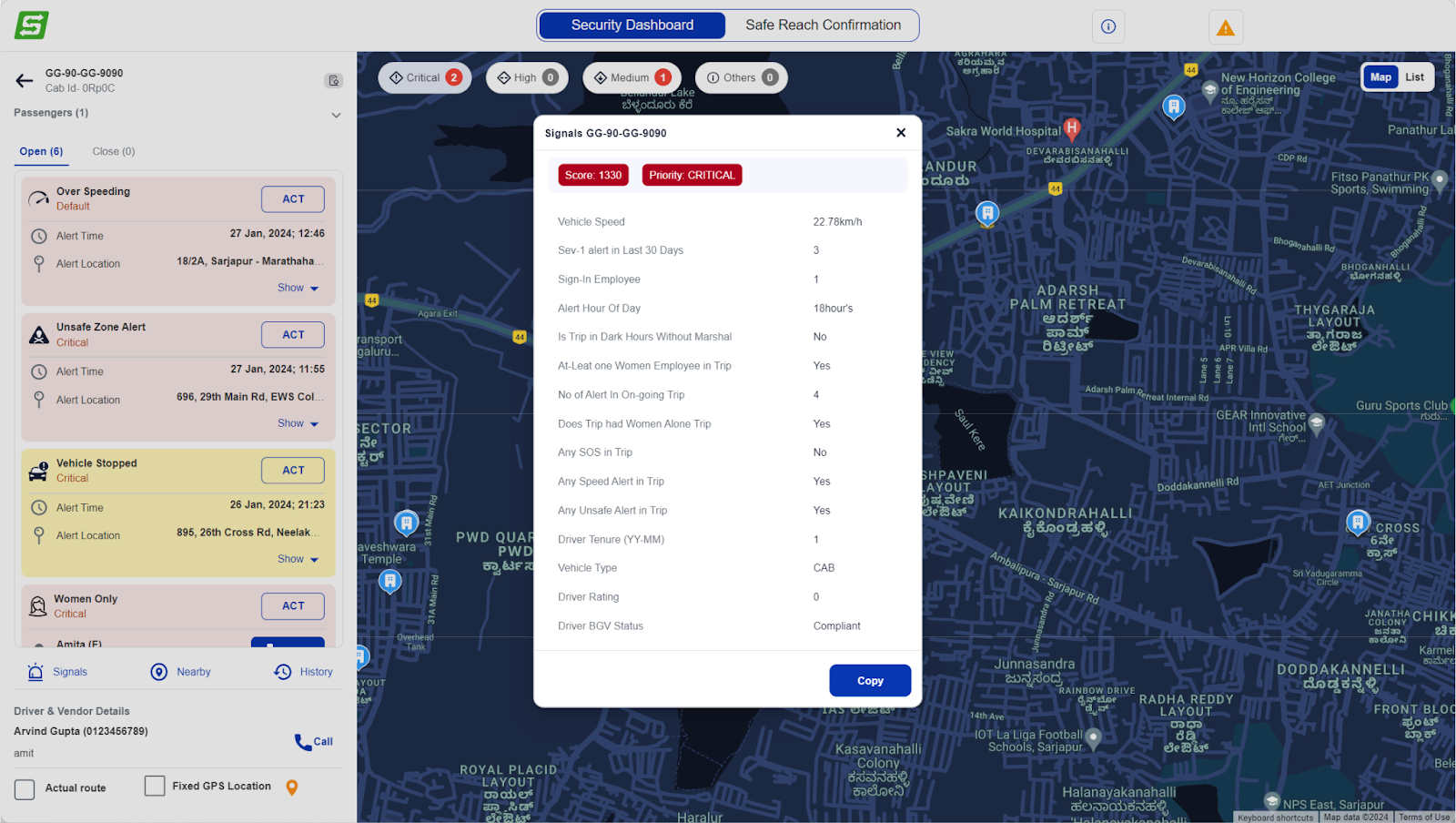
Map Marker and Alert Location
A clear map marker indicates the location related to the active alert.
This visual cue aids users in quickly identifying the geographical context of the alert.
Toggle for Fixed GPS
Users have the flexibility to toggle between Fixed GPS and In-Cab device location using a simple checkbox.
This feature enhances the user's ability to customize their view based on the specific requirements of the alert handling process.
Enhanced User Control
The entire interaction design aims to provide users with a seamless and controlled experience.
Users can easily navigate through vehicle details, passenger information, and alert specifics with just a few clicks.
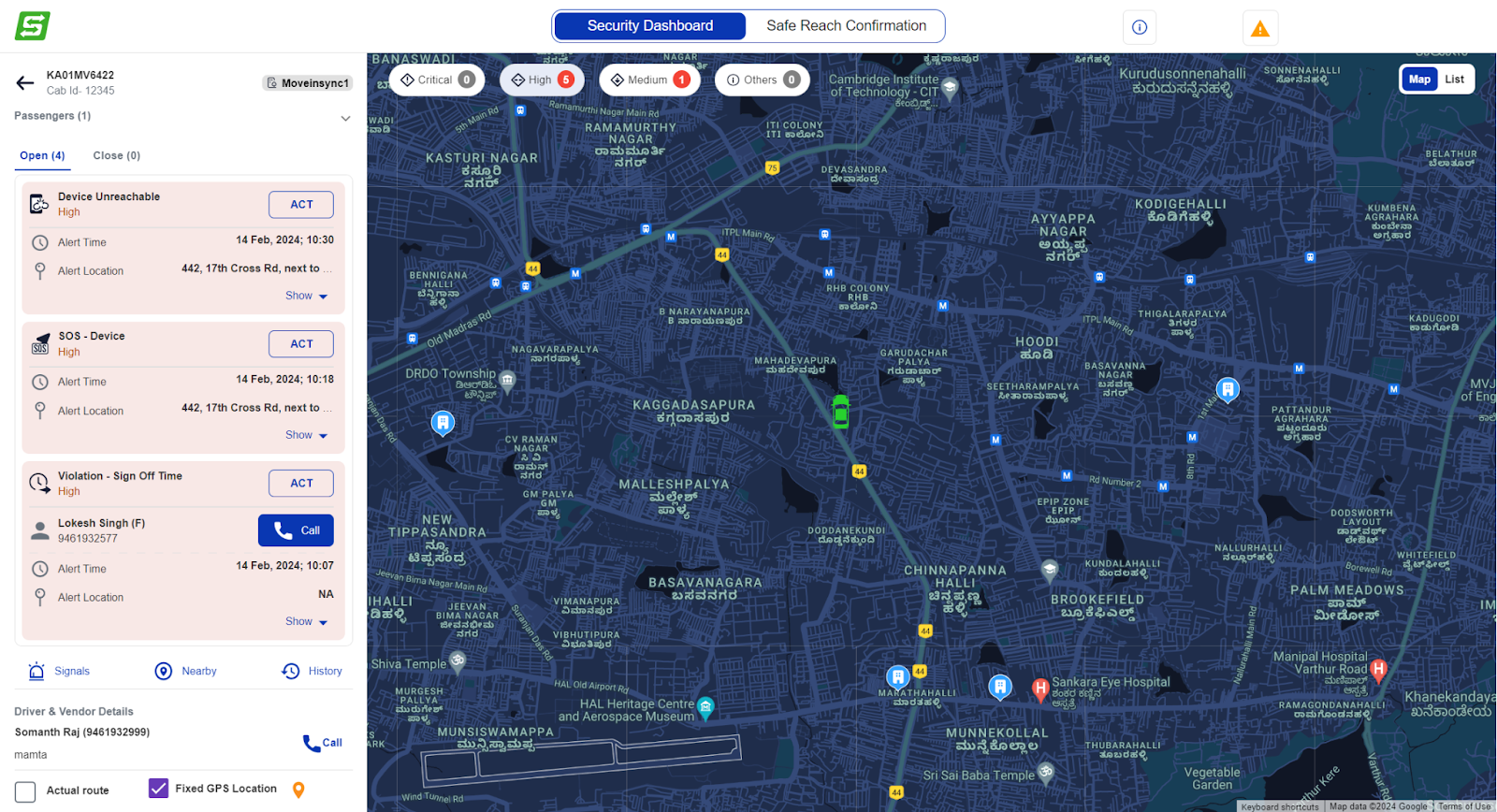
Nearby Assistance Kit
Provide access to essential services during incidents/accidents and Ensure quick and informed decision-making during critical situations.
Find the nearest:
Vehicles
Hospitals
EV charging stations
Fuel stations
Device not reachable alert
In the the scoring and alert severity bucket are determined based on the device’s polling time. As the duration for which the device remains unconnected increases the configured time, score changes and the alert severity bucket changes from Medium → High → Critical.
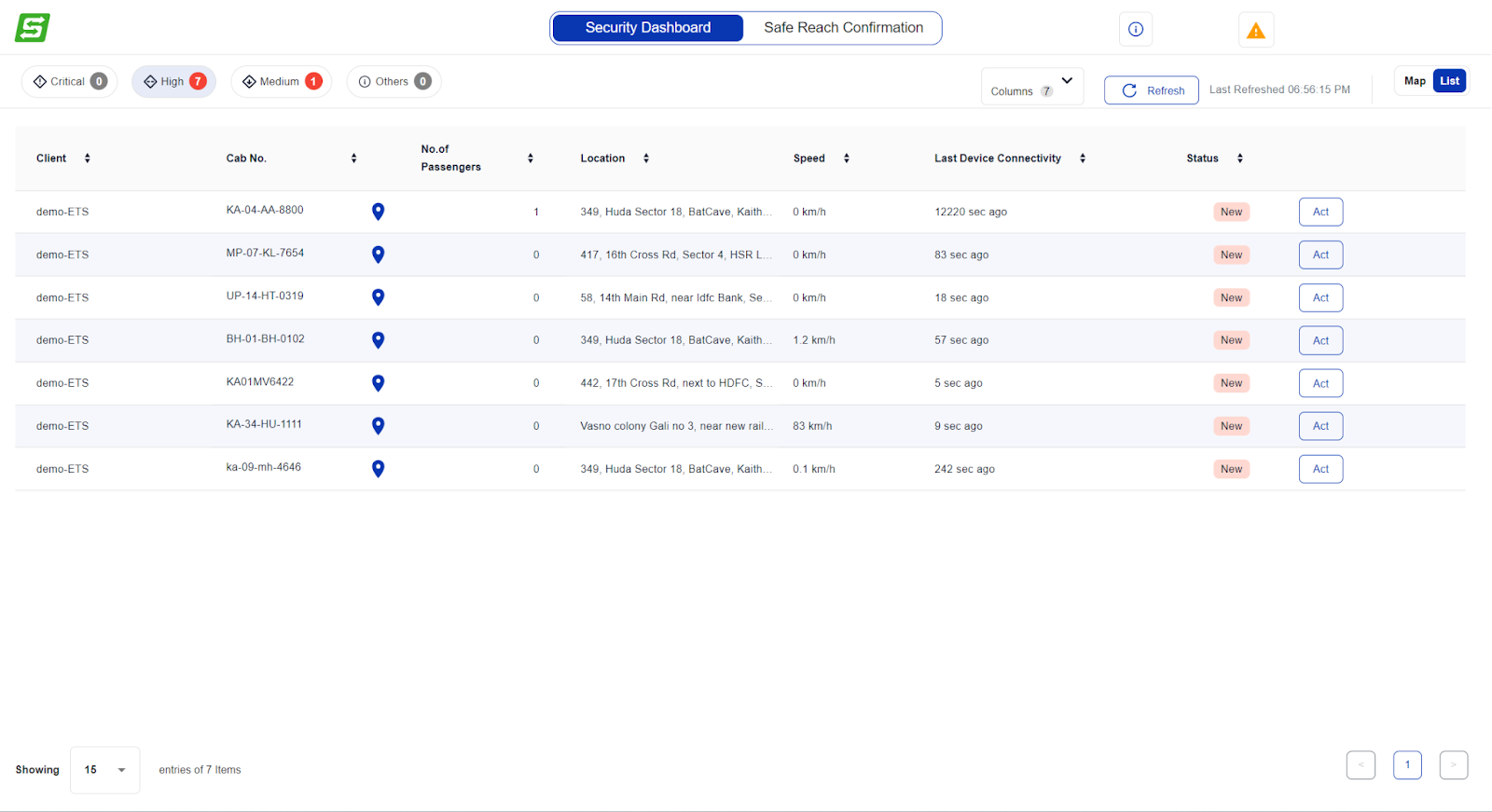
Tabular view
A toggle option allows users to switch to a tabular format for a structured and detailed view of data.
Users can access a comprehensive list of alerts and associated vehicle information.
The 'Act' button takes the user to a map interface for further action.
Was this article helpful?
That’s Great!
Thank you for your feedback
Sorry! We couldn't be helpful
Thank you for your feedback
Feedback sent
We appreciate your effort and will try to fix the article