Overview
Enables firm members and guests to share travel booking details with their Executive Assistants (EAs) or designated representatives directly from the system.
Allows representatives to be added during booking creation itself.
Automatically includes selected representatives in booking-related email (CC-email ) notifications.
Eliminates the need for manual forwarding of booking details.
Improves coordination between travelers, assistants, and the transport team.
Enhances visibility of booking information for all relevant stakeholders.
Increases overall operational efficiency.
How to Configure this Feature?
Open consul then open the required server where this feature needed and follow the below steps.
Step-1 : Open the Miscellaneous folder and paste the below.
"enableShareRideDetailsFeature":true,
"domainAllowedForRepresentative":[ example - , def.com ,abc.com],
"optinToAddExternalEmailToRepresentative":true,
Step-2:Open the Email Communication folder and paste the below on the required events ( Booking creation, Manager approval, Booking cancellation)
"isCCMailsRequiredForRepresentative": true
How to get these feature details in Reports?
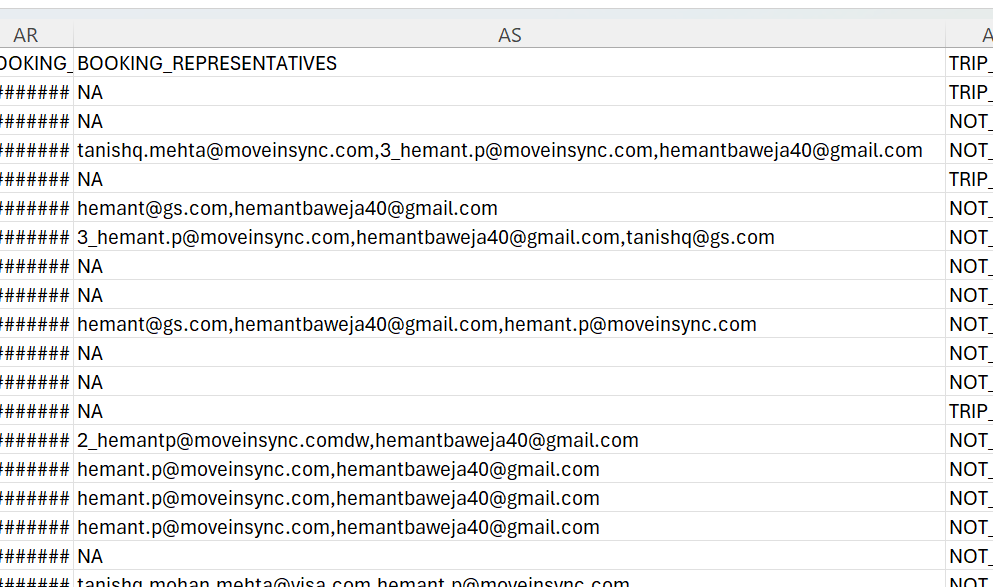
Open Pms server and enable the bookingRepresentatives
if this property is enabled in PMS reporting then only the Rentlz booking reports will have these columns of details showing about Booking Representatives.
User Guide
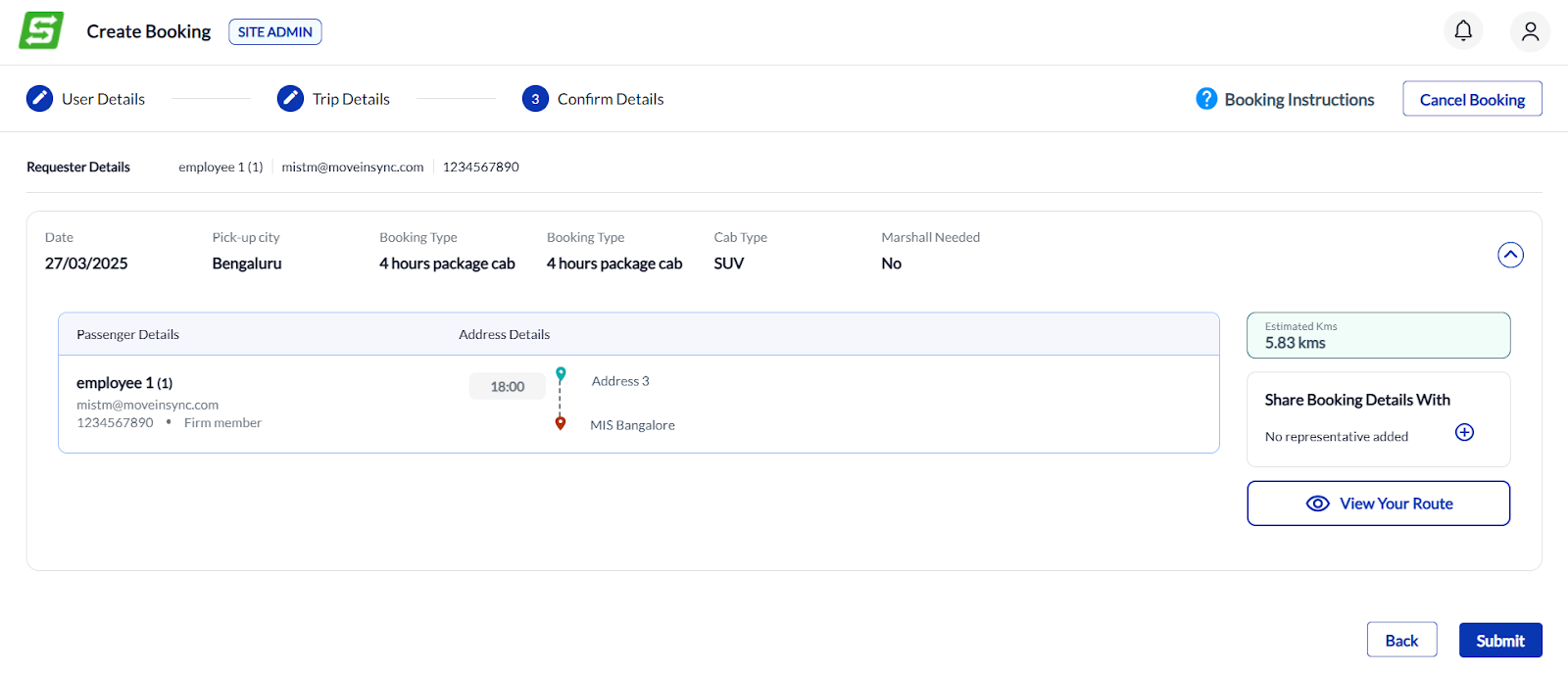
Step-1: Add representative option is available on Confirm details page vehicle creation
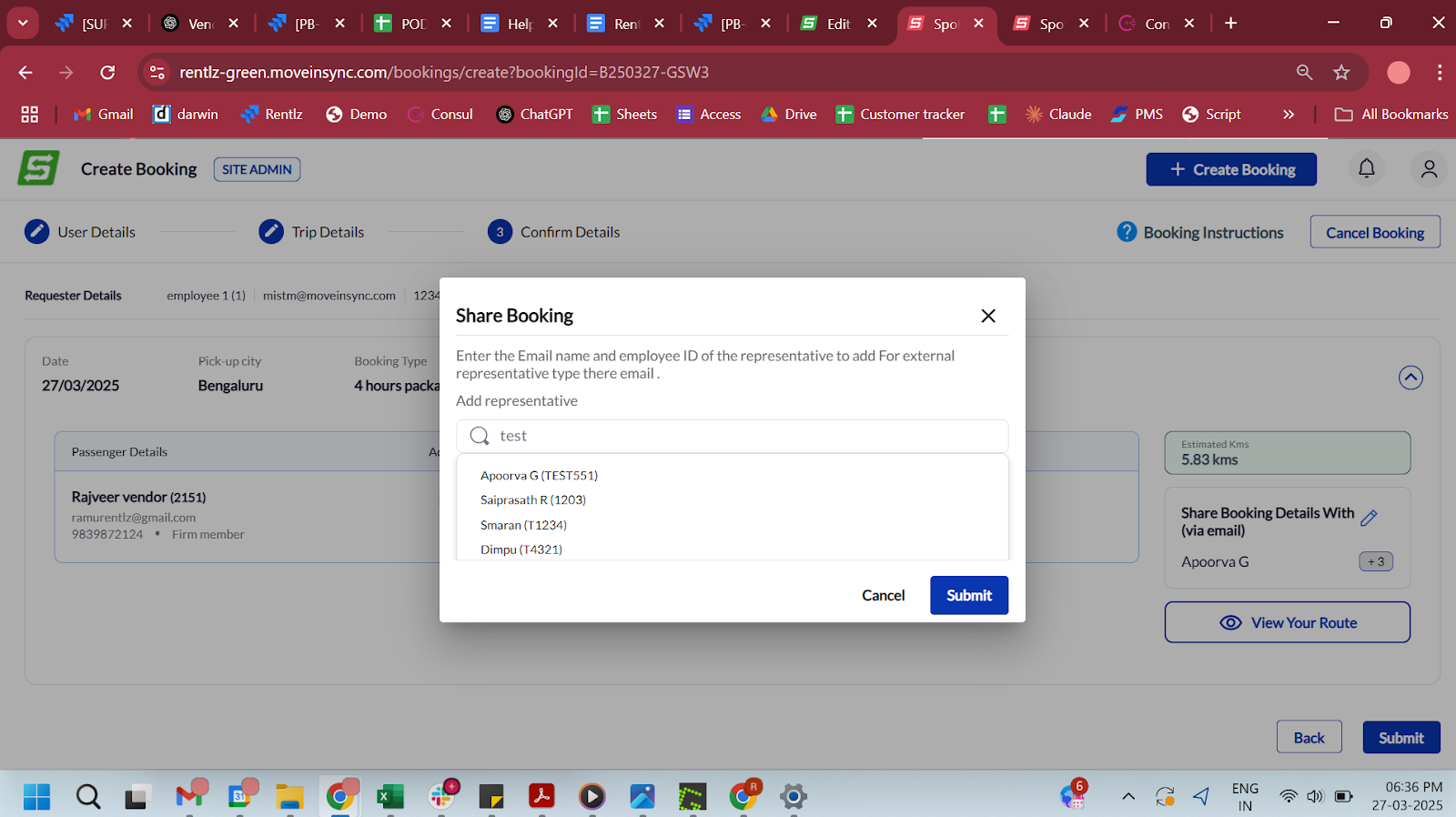
Step-2: User can search representative ( if he is an firm member )or add external email Id as well.(based on the allowed configuration)
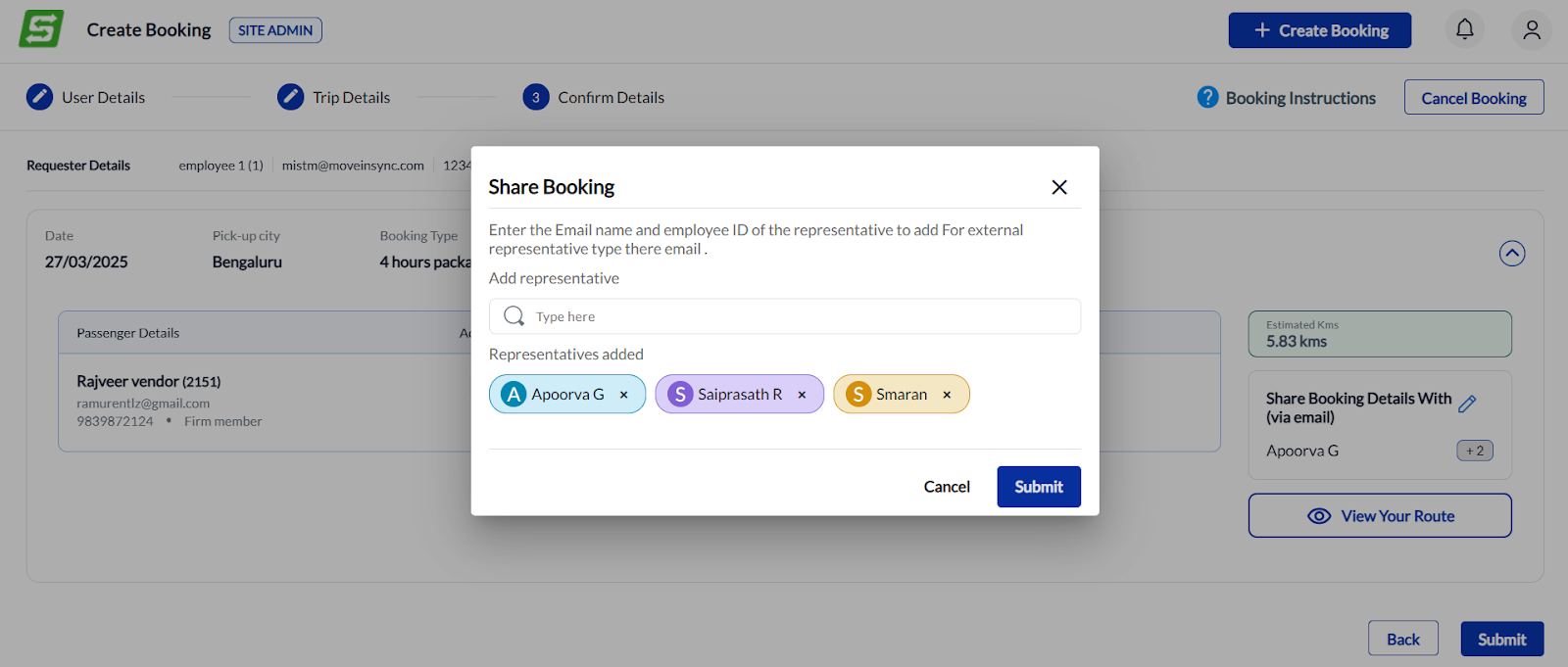
Multiple representatives can be added to a booking (external+internal) Post selecting all the required representatives click the submit button below.
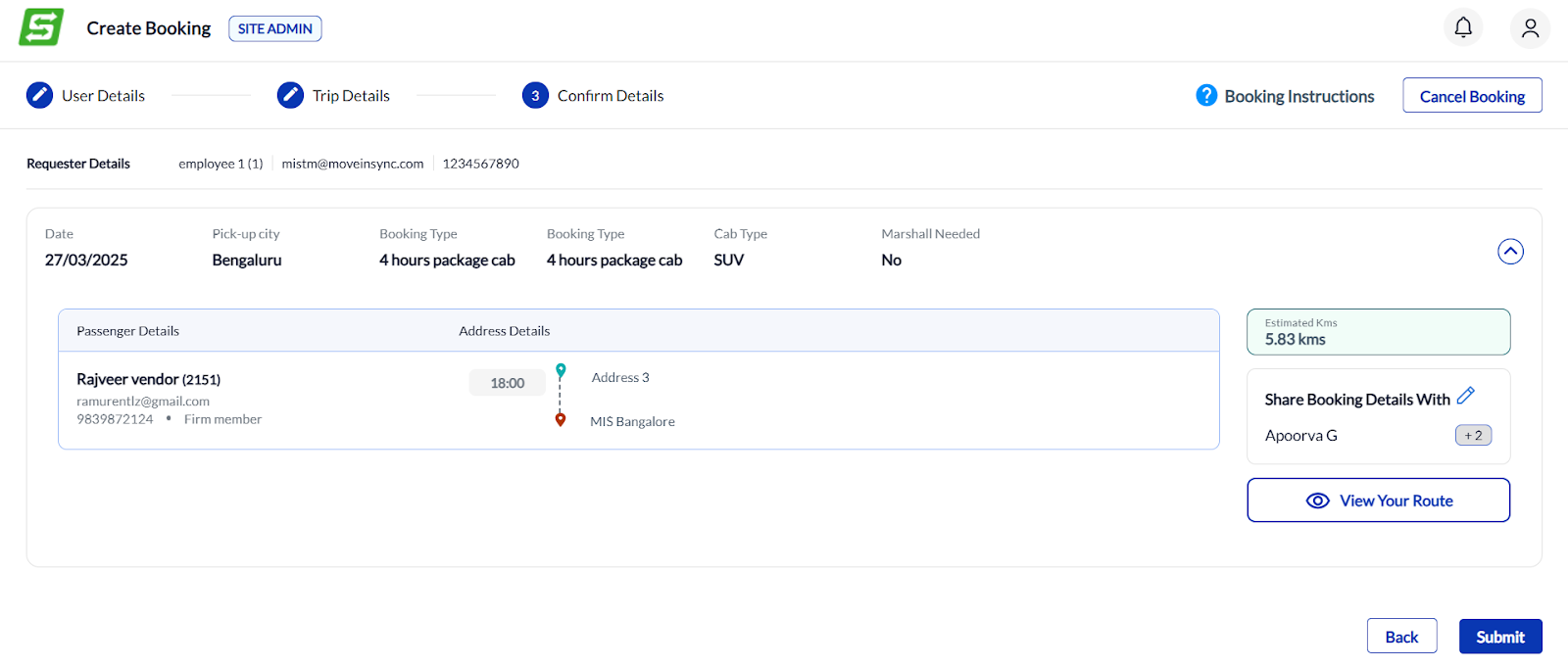
Add representative or Submit to create the booking
The representatives added to the booking will also be visible in the Rentlz Booking reports.
Was this article helpful?
That’s Great!
Thank you for your feedback
Sorry! We couldn't be helpful
Thank you for your feedback
Feedback sent
We appreciate your effort and will try to fix the article