Overview
To strengthen One Trip per Shift enforcement, the system now automatically manages employee assignments across routes. This enhancement ensures that an employee cannot be assigned to multiple trips within the same shift and reduces manual intervention during trip planning.
Configuration Prerequisites
The following system properties must be enabled for this functionality to apply:
ENABLE_ONE_TRIP_PER_SHIFT_FOR_EMPLOYEE = true
MOVE_EMPLOYEE_AUTOMATICALLY_UPON_ONE_TRIP_PER_SHIFT_FOR_EMPLOYEE = true
Functional Behavior
1. Automatic Employee Reassignment
When an employee is added to a new tripsheet within the same shift:
The system automatically removes the employee from any previously assigned tripsheet.
The employee is successfully added to the new tripsheet.
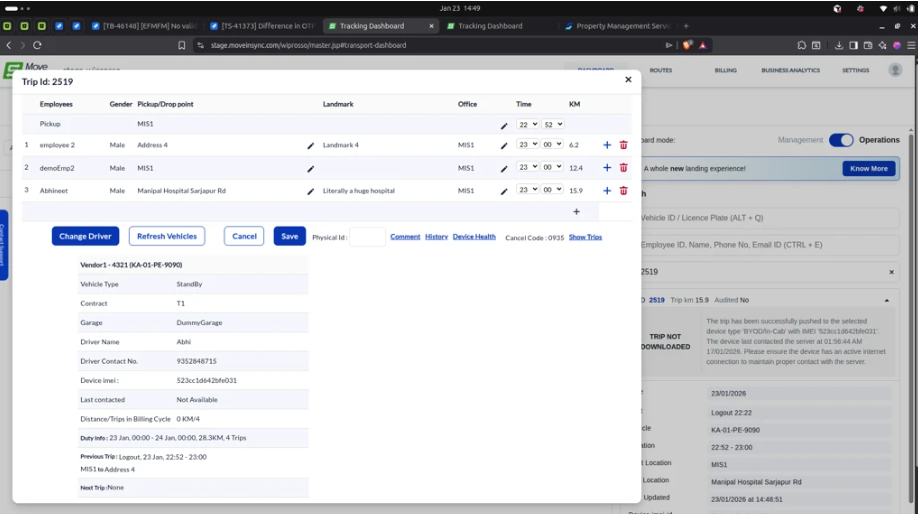
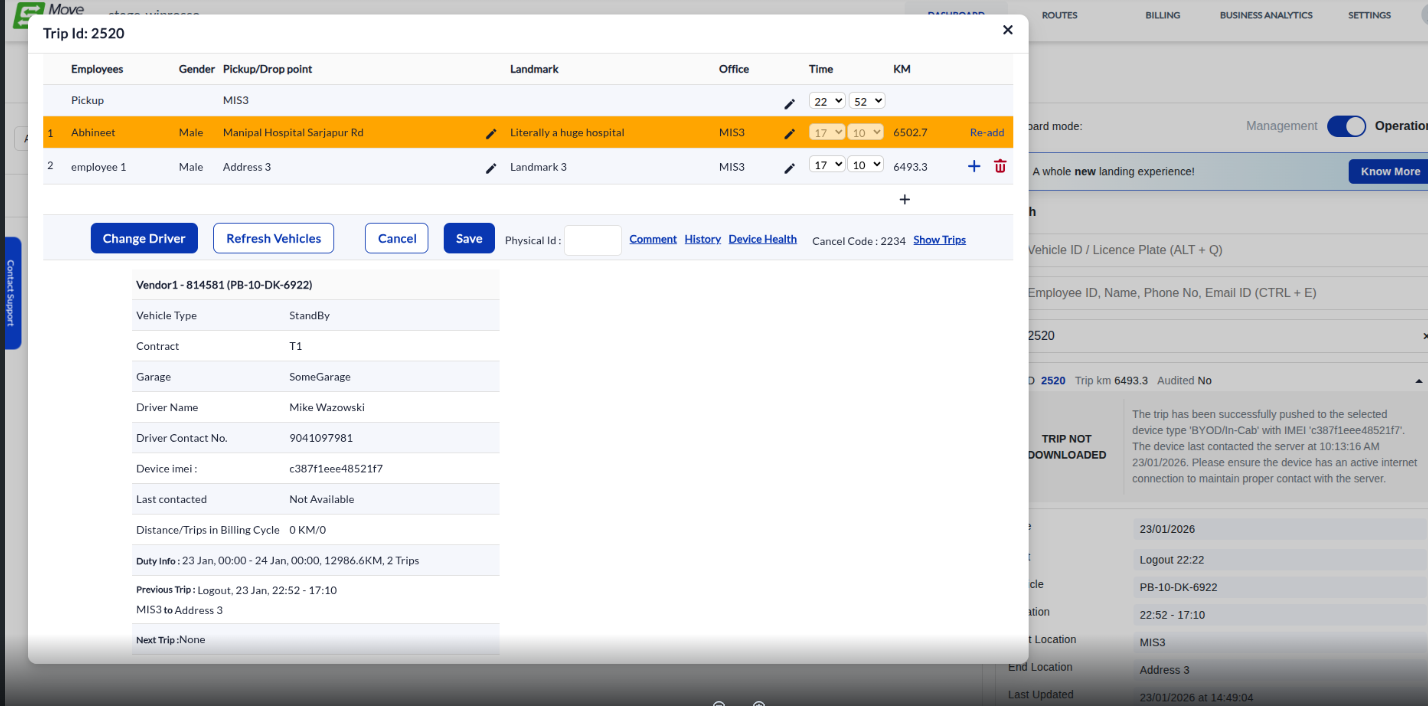
2. No-Show Employee Handling
If an employee is marked as No Show in a previous trip:
The employee can be added to another trip in the same shift without restriction.
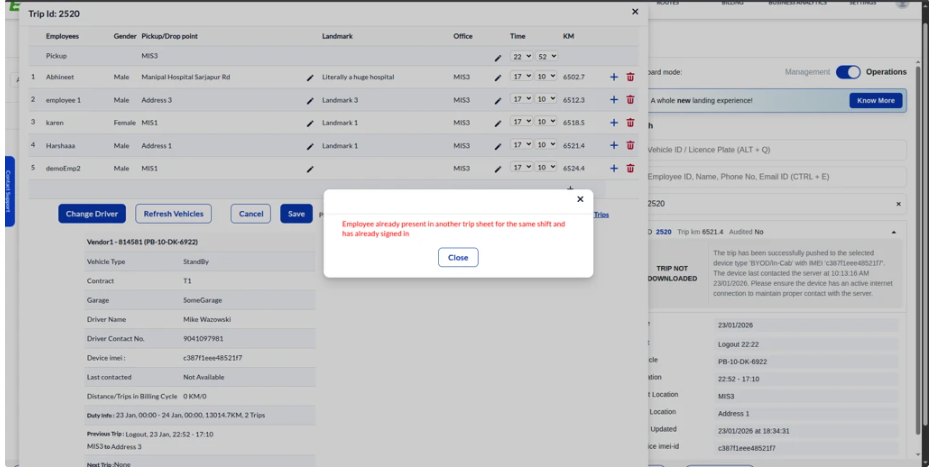
3. Signed-In Employee Restriction
If an employee has already signed in to a trip:
The system prevents adding the employee to another trip within the same shift.
An appropriate error message is displayed.
If the employee has not signed in:
The employee can be removed from the existing tripsheet and added to a new one.
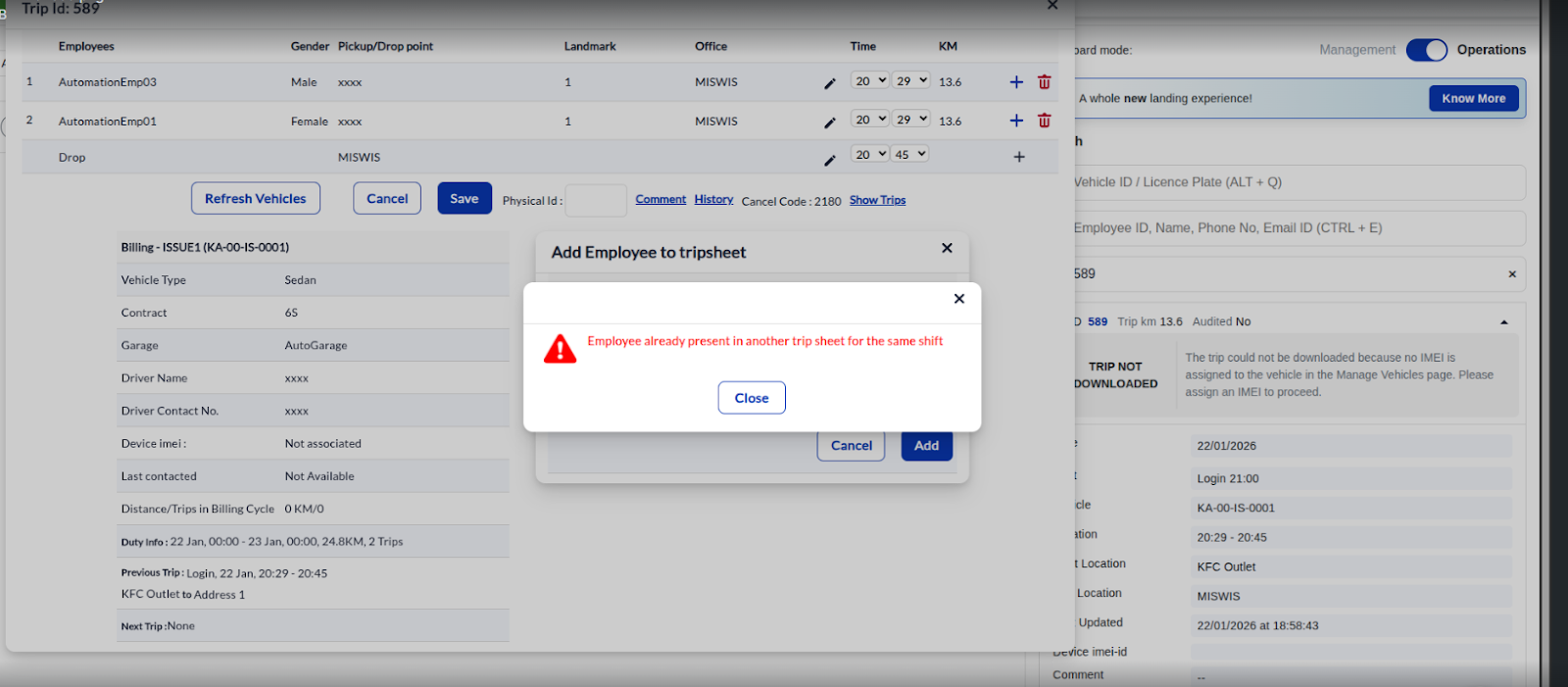
4. Auto-Move Disabled Scenario
If MOVE_EMPLOYEE_AUTOMATICALLY_UPON_ONE_TRIP_PER_SHIFT_FOR_EMPLOYEE = false:
The system does not auto-remove the employee from the existing trip.
An error message is displayed when attempting to add the employee to another trip within the same shift.
Impact
Eliminates duplicate employee assignments across trips in the same shift.
Ensures compliance with One Trip per Shift policy.
Was this article helpful?
That’s Great!
Thank you for your feedback
Sorry! We couldn't be helpful
Thank you for your feedback
Feedback sent
We appreciate your effort and will try to fix the article